







Photo by Mateusz Taciak on Pexels
Most people who type resume builder no sign up into a search bar are not looking for a community. They want a PDF before the listing closes. Weeks later the job is filled, and the builder they signed up for is still sending resume tips and upgrade nudges. You didn't come here to join a product. You came here to send an application.
A resume builder with no sign up skips that entire loop. You open the page, type, export. If a tool needs your email to let you leave with a PDF, it isn't frictionless. It's lead capture with a resume form on top.
The second paywall is the account wall
Free tools rarely put the price on the homepage anymore. They put it after you've done the work. First you pick a template. Then you fill every field. Then, when you're tired and the listing closes at midnight, you meet the account wall.
That's the second paywall. Not dollars. An inbox.

One person used a popular builder only to download a PDF. Export would not work until she created an account. She typed an email she keeps for one-off signups, invented a password she would not remember, and got the file. Product emails started the next morning — tips, upgrade nudges, a note that her resume still needed work — and they were still arriving months after she had already taken a job. She had not signed up for a relationship with a software company. She had signed up to download a document.
There is a particular shame people feel about those leftover emails, as if they were naive for wanting a file. You weren't. The product asked for an address because an account is a marketing list, a reason to send "come back and upgrade," and a profile they can attach to ads. None of that helps you tonight. A comparison of "free" resume tools is often a comparison of how late they spring that ask.
Can you make a resume without creating an account? Yes. If the builder will not let you, the missing piece is not "cloud save." It is an honest export.
What you skip when there's no sign up
No account means no email field, no password, no "verify to continue," no onboarding carousel. You don't pick a plan. You don't watch Export sit behind a lock until you "unlock with Pro."
On Simple CV that looks like this: you go to /builder/ and type. The interface is English-only. There is no tour. The free resume builder is the whole product, not a demo of a paid one.
What drops out of the evening: a login you will forget by the next cycle, an address that will outlive the job search, and a paywall when you need a second PDF for a slightly different role.
Ads and donations keep the lights on. Your CV data is never sold and never used to target ads. That is a different bargain than "free until export."
If you're already tired of forms — the job boards, the work-authorization questionnaires, the "create an account to apply" loops — this is one form you can refuse. Refusing it is not laziness. It is protecting the little energy you have left for the application itself.
Where your data actually lives
No login sounds unsafe until you ask the other question: unsafe compared with what? An account on someone else's server is a copy of your phone number, your employment dates, sometimes a photo, sitting in a database you don't control.
Here, the draft stays on your device — this computer or this phone. It never goes to Simple CV's servers. Your browser keeps a local copy so you can close the tab and come back later in the same browser. There is no cloud profile because there is no profile.
That is the safety model. Not "we encrypt it in our vault." There is nothing to vault.
Two honest limits. If you clear this site's data, the draft goes with it. If you open the builder on a different phone, that phone will be empty. Same story on a borrowed library computer, or when you switch from Chrome to Safari. A PDF you already exported still exists wherever you saved it. A backup file you downloaded still exists. The in-browser draft does not teleport.
So: is it safe if there's no login? Safer for privacy, as long as you treat this device like the place the work lives — and you keep a backup for the day you wipe the browser.
Features that still work without an account
You still get the parts that make a resume, not a signup.
Live preview, so the page on the right updates as you type. You see the layout break when a bullet runs long, and you cut it before you export. Eight ATS-friendly templates. Every usual section is there: contact, summary, experience, education, skills. Drag a section to reorder it if a hiring manager should see projects before education. Export as many PDFs as you need. No watermark. No "you've used your one free download."
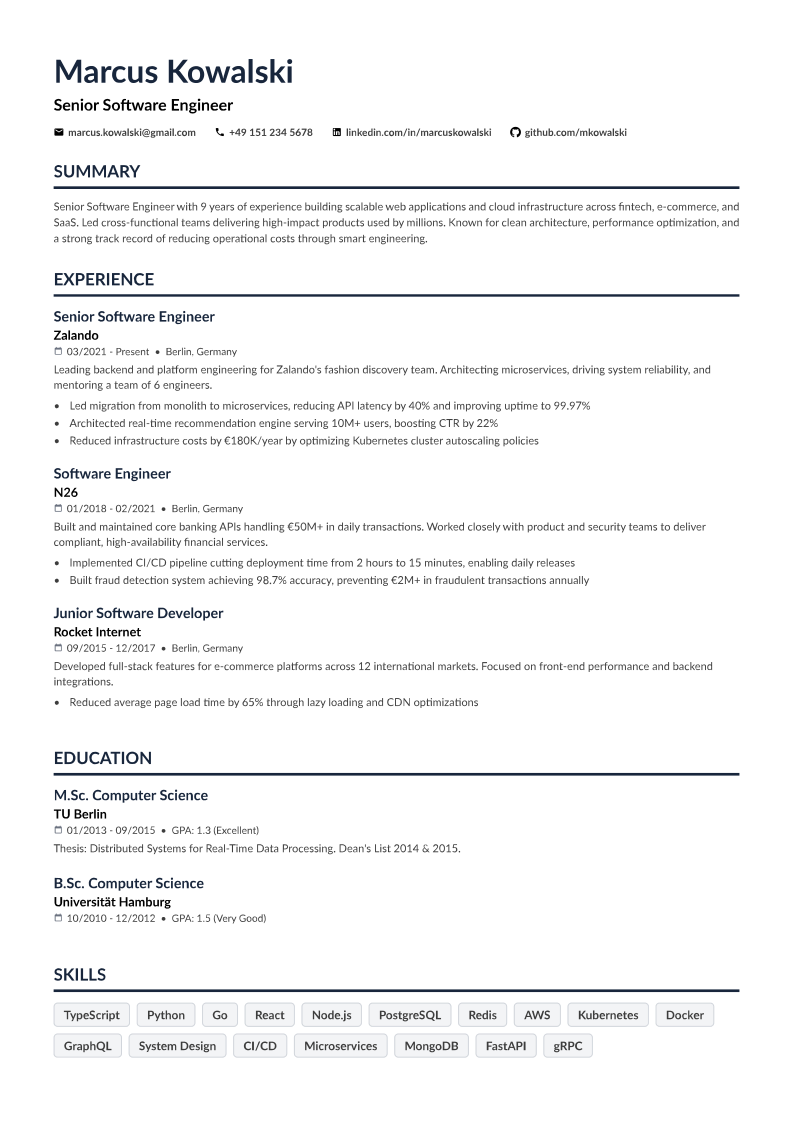
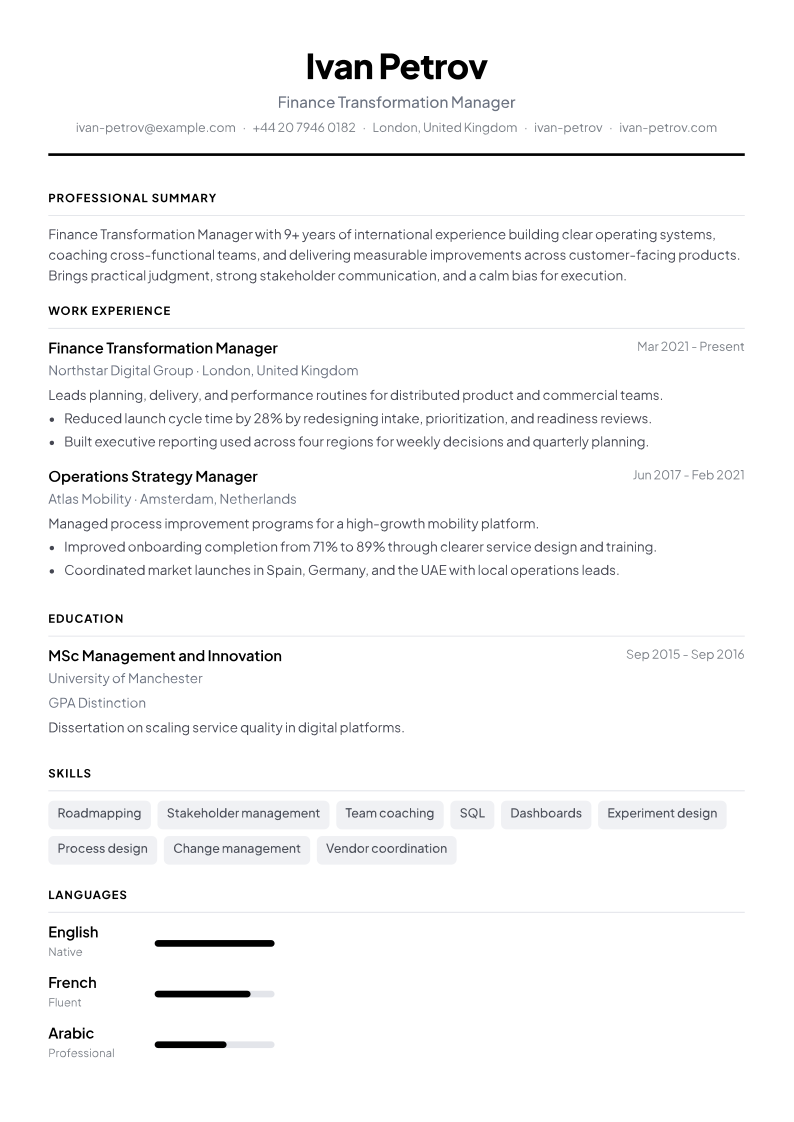
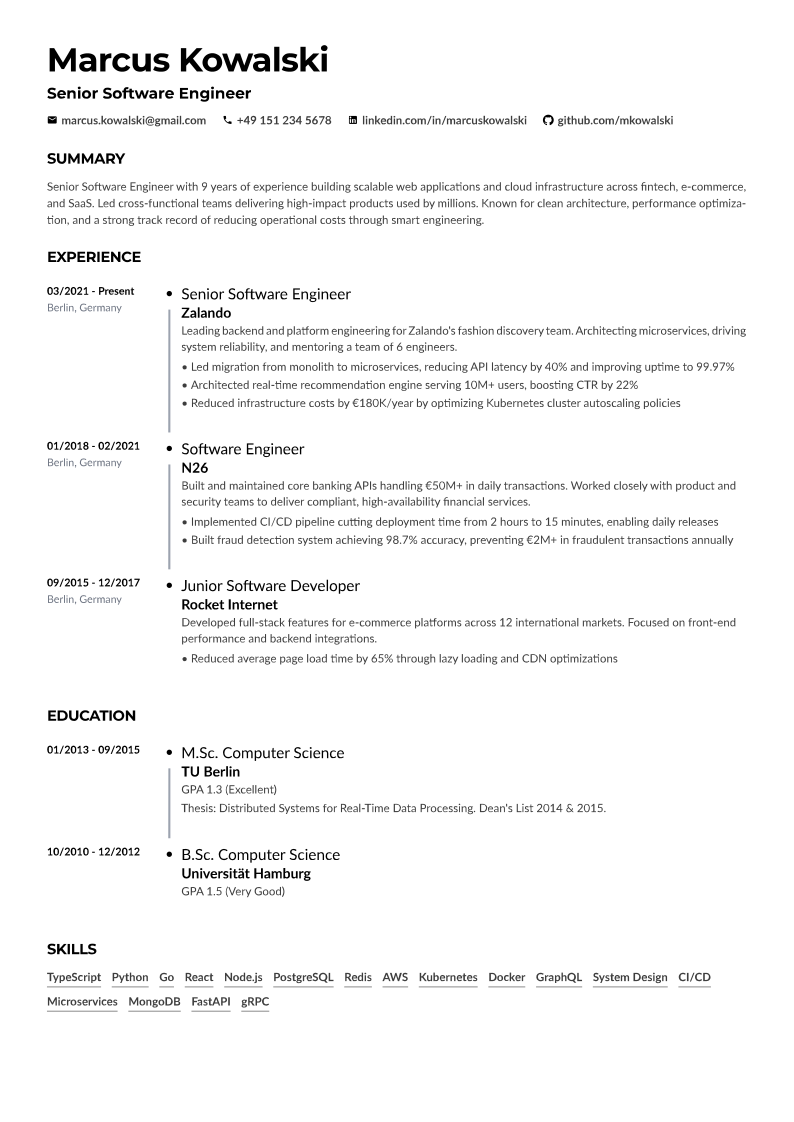
Say you're applying to a hospital admin role and a clinic coordinator role the same week. You change the summary line, export twice. That is the point of unlimited PDFs. An account is not required for that.
A free CV builder with no account is the same idea if you think in CVs rather than resumes. The file you walk away with is yours.
You will not get cloud sync across devices. That's the trade. What you get instead is a tool that doesn't need to know who you are to let you finish.
Backup so you don't lose the draft
Will you lose the resume if you close the tab? On the same browser, usually no — the local copy is still there when you return. Closing a tab is not the danger. Clearing site data is. So is a new laptop, a borrowed computer, or a phone that isn't the one you started on.
The fix is a file, not an account. Download a backup from the builder and keep it with your other application materials. Restore it later the way you'd reopen any document. Export a PDF when a version is good enough to send. That PDF is a snapshot you can keep even if you never come back to the editor.
Do that once per serious draft. It takes less time than resetting a password you invented at 11 p.m.
If you're mid-search and already tired, that's enough process. Open /builder/, write the thing, export the PDF, and download a backup so the draft survives a cleared browser. You already filled out enough forms this week.
Ready to put this into practice?
Build your CV free